The short answer
Open your Storybook in Chrome and click the Twinfig extension. It reads the story index, you pick components, and every story is captured and combined into a Figma component set with one variant per story. Extra themes or viewports become additional variant properties.
Before you start
- A running Storybook, local or deployed
- Google Chrome with the Twinfig extension
- The Twinfig plugin open in Figma
Steps
Open your Storybook
Run Storybook locally or open a deployed one in Chrome.
Click Twinfig
The extension reads the story index and lists your components.
Pick components
Select the components and the themes or viewports you want.
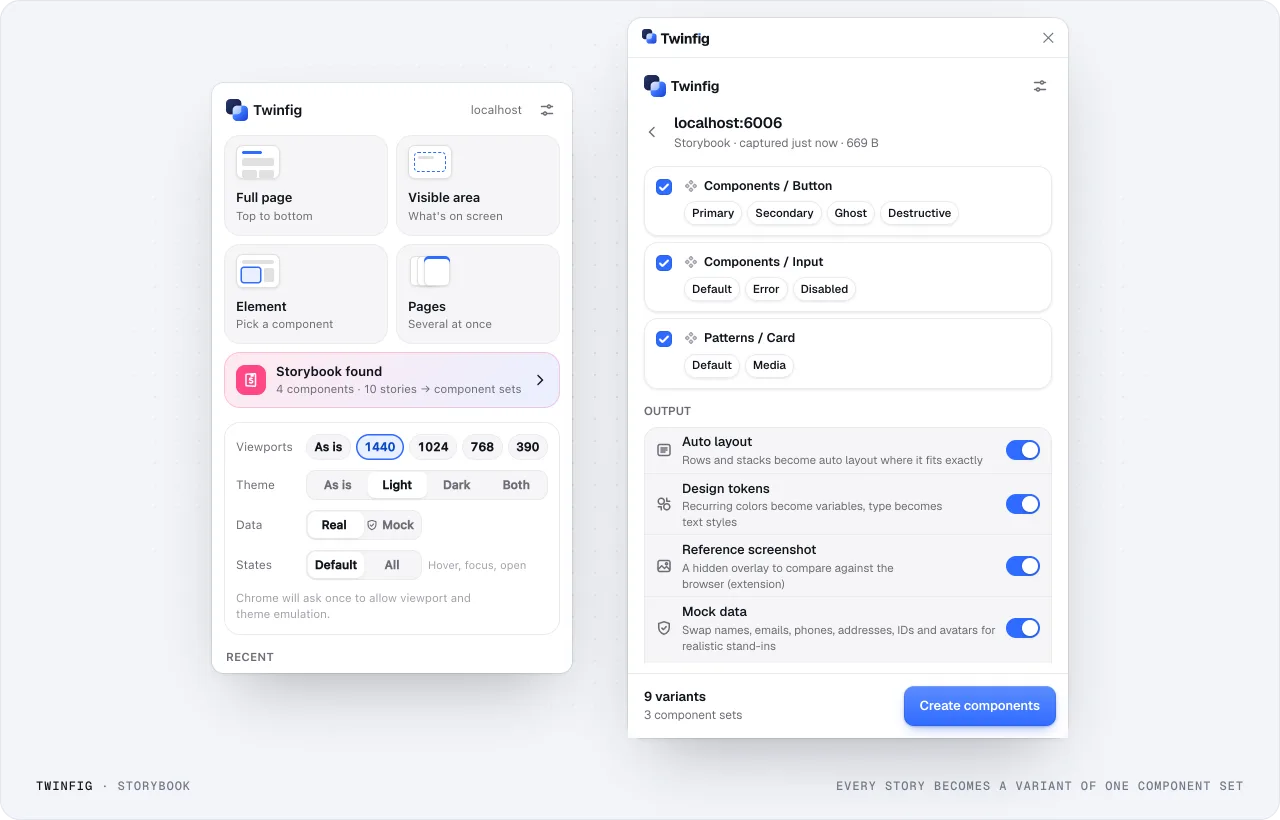
Storybook to component setsEvery story becomes a variant of one component set. Paste into Figma
Each story becomes a variant in a component set; themes and viewports become variant properties.
Tidy properties
Rename properties and refine variants in Figma as your library needs.
What the component sets contain
One variant per story, combined per component. Capture more than one theme or viewport and those appear as extra variant properties, such as Theme=Light and Theme=Dark.
Tokens come with it
Colors used more than once become variables and type becomes text styles. Capture in both themes and each color becomes one variable with Light and Dark modes.