Where Twinfig and html.to.design overlap, and where they don’t.
The short answer
Both Twinfig and html.to.design import a live URL into Figma as editable layers and can pick a single element. Twinfig also scans a whole site from inside Figma, turns repeated UI into components across every page, creates variables and text styles, links pages as a prototype, builds component sets from Storybook and swaps customer data for mock data before it leaves the page.
Both do
Import a live URL
Pages behind a login, localhosthtml.to.design: via its extension
Pick a single element
Many viewports × light and dark in one run
Twinfig adds
Repeated UI becomes componentsAcross every page
Colors and type as variables and text styles
Links become prototype connections
Storybook stories to component sets
Mock data for customer informationBefore it leaves the page
Recapture a frame in place
Side by side
Capability by capability.
Twinfig and html.to.design, row for row, from each tool’s public product pages.
Capability
Twinfig
html.to.design
Import a live URL
Yes
Yes
Pages behind a login, localhost
Your own browser session
Via its extension
Pick a single element
Yes
Yes
Many viewports × light and dark in one run
Yes
Yes
Repeated UI becomes components
Across every page
Not advertised
Colors and type as variables and text styles
Yes
Not advertised
Links become prototype connections
Yes
Not advertised
Storybook stories to component sets
Yes
Not advertised
Mock data for customer information
Before it leaves the page
Not advertised
Recapture a frame in place
Yes
Not advertised
Based on each tool’s public product pages as of October 2026. “Not advertised” means we couldn’t find the capability described, not that it can’t exist. html.to.design and Figma are trademarks of their owners.
Components and tokens, found for you
Repeated UI across every imported page becomes components, colors used more than once become variables and type becomes text styles.
Captured colors, type and spacing appear as Figma variables, three pages are linked with prototype connections, and the prototype is presented from Pricing to Sign up.
Local variables9
Captured from localhost:5173
color/ink11141C
color/paperFAFBFE
color/accent2F6BFF
color/muted717888
color/borderE1E5EE
Aatype/display56 / 100%
Aatype/body16 / 150%
#radius/card24
#space/416
Components4
Button · Primary
Button · Secondary
PlanCard
NavBar
Home
FieldnoteDocsPricing
New Sync v2Design from what’s real.
Capture any page and keep designing in Figma, with real layers.
Get startedDocsCaptureRefine
Pricing
FieldnoteDocsPricing
Pricing that scales
Starter$0/mo 3 projects 7-day history Email helpGet started
Pro Popular$24/mo Unlimited AI notes Priority helpStart trial
Sign up
Create your accountStart your 14-day free trial.ContinueHave an account? Sign in
Present
Sign up2 / 2
FieldnoteDocsPricing
Pricing that scales
Starter$0/mo 3 projects 7-day history Email helpGet started
Pro Popular$24/mo Unlimited AI notes Priority helpStart trial
Create your accountStart your 14-day free trial.ContinueHave an account? Sign in
You
In depth
The differences that matter day to day.
Whole sites, not just pages
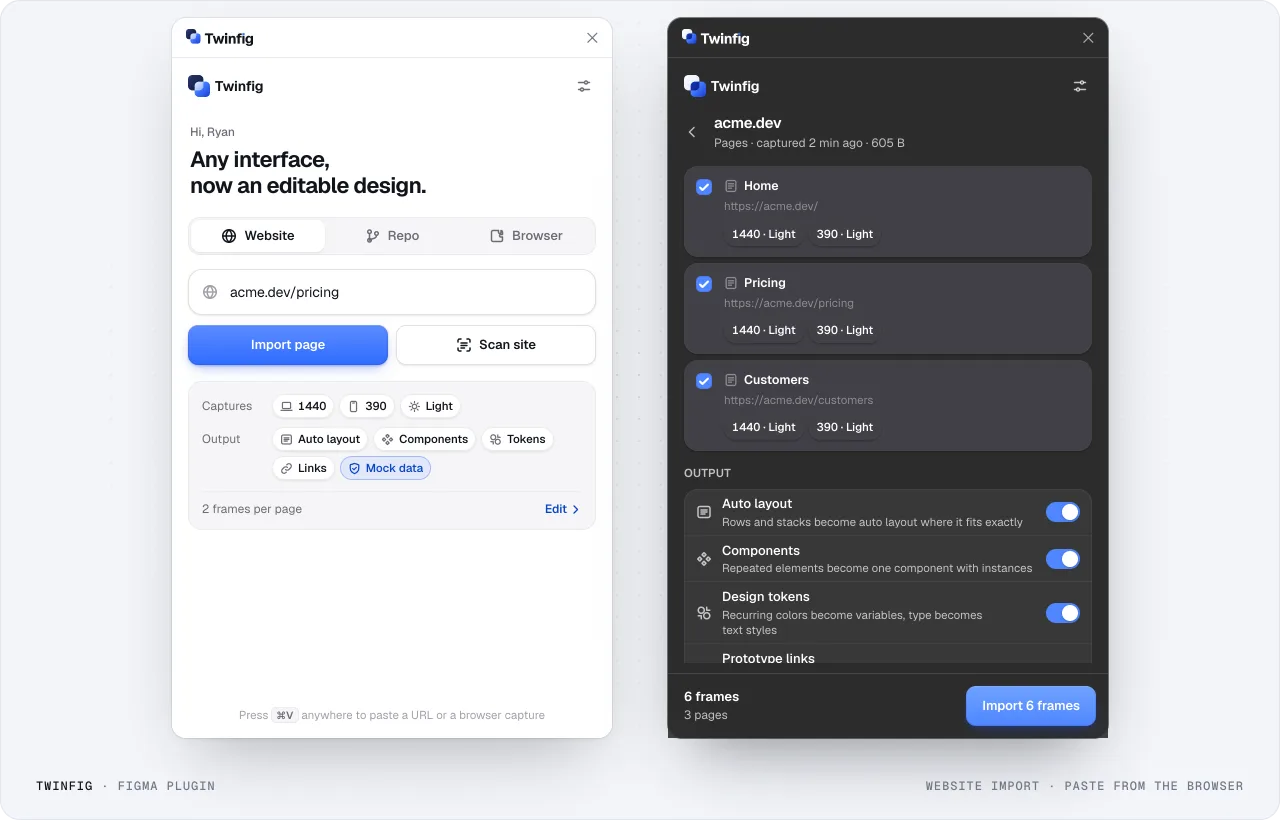
Twinfig’s Scan site finds pages from the sitemap or by following links, groups them by path and collapses look-alike templates so you pick what to import. Each page is captured at every viewport, theme and language you choose, and pages are linked as a prototype.
Figma plugin: website importImport one page, or scan the site and pick pages. Each page is captured at every viewport you choose.
Design-system output
Main components go to a Components section and pages hold instances. When a page is captured in light and dark, each color becomes one variable with Light and Dark modes rather than two sets of values.
Storybook and repositories
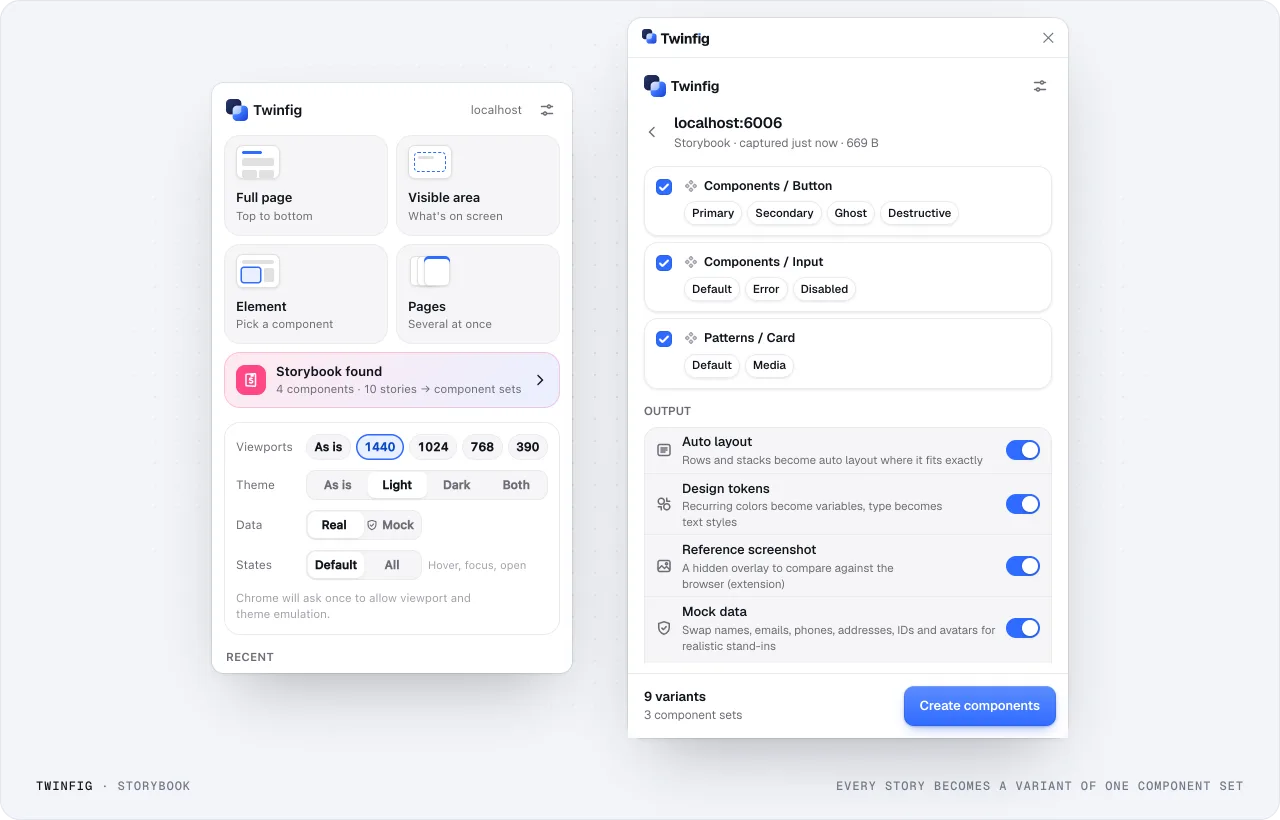
Twinfig turns Storybook stories into component sets with one variant per story, and can import a whole repository: it installs the app in a sandbox, finds its screens, themes and states, and imports the ones you pick.
Storybook to component setsEvery story becomes a variant of one component set.
Which to pick
Choose the one that fits how you work.
Choose Twinfig if
You want design-system output: components, variables, text styles and prototype links, not only layers.
You capture logged-in apps, localhost or Storybook and need mock data before anything leaves the page.
You import whole sites and want to pick pages from a scan.
Choose html.to.design if
You already use it and a single-page import is all you need.
Your team standardizes on its plugin and extension workflow.
FAQ
Questions about choosing.
Is Twinfig a replacement for html.to.design?
They solve the same first step, getting a live page into Figma. If you rely on components, tokens, whole-site import or Storybook, Twinfig covers more of what comes after the import.
How was this comparison made?
From each tool’s public product pages as of October 2026. “Not advertised” means we could not find the capability described, not that it cannot exist. Check each product’s current page before deciding.